
Turning on your Dynamics 365 integration
Log into Kapta as an administrator, and open Settings / Configuration. Turn on the slider for Dynamics 365.
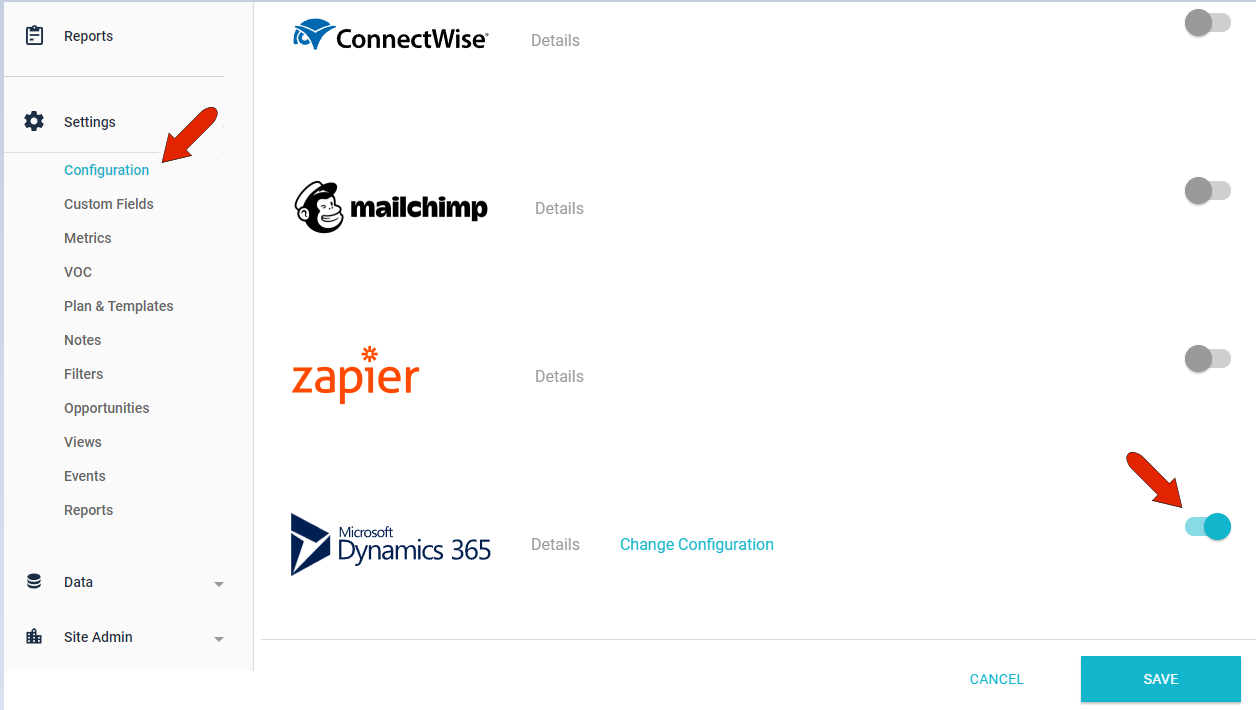
Enter your Dynamics 365 connection information. If you have difficulty locating this information, please refer to Dynamics 365 knowledge base or contact your Dynamics 365 administrator.
Once Dynamics 365 is enabled, when you create a new account, you'll be able to import account details from Dynamics 365.
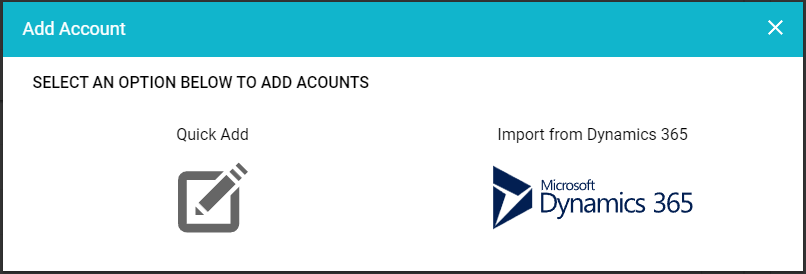
After choosing Dynamics 365, choose the accounts to bring in, as well as any contacts from those accounts.
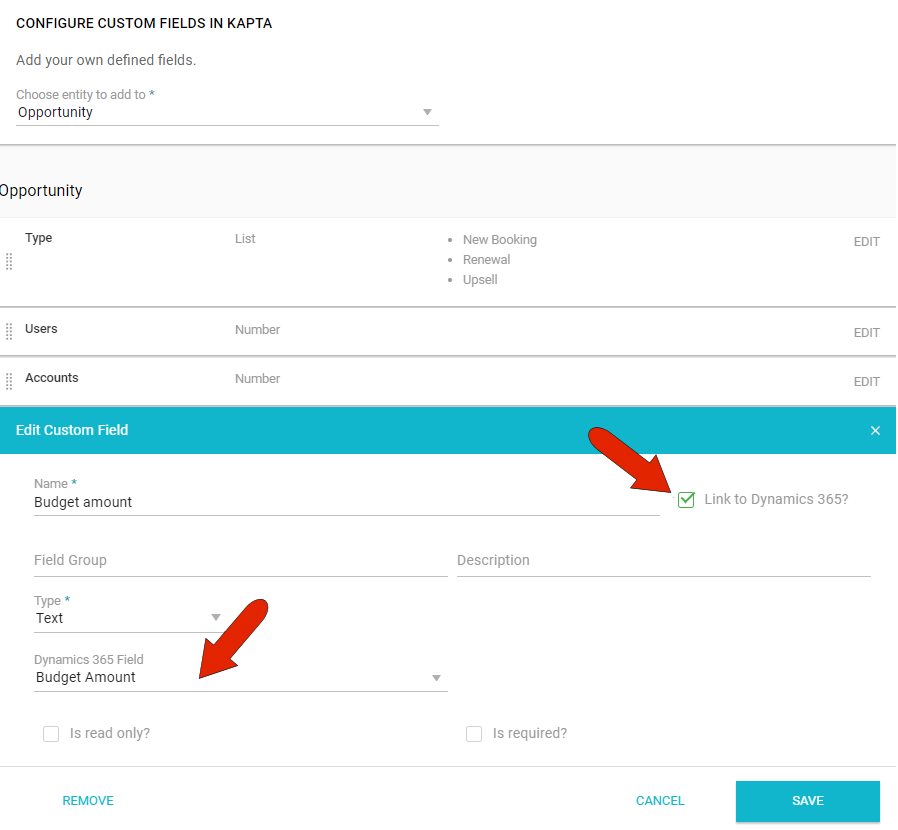
When linked to Dynamics 365, you can also create custom fields that match Dynamics 365 fields. For example, when creating a new custom field for Opportunities, click Link to Dynamics 365 and choose the relevant Dynamics 365 field to match.
Comments
0 comments
Please sign in to leave a comment.