
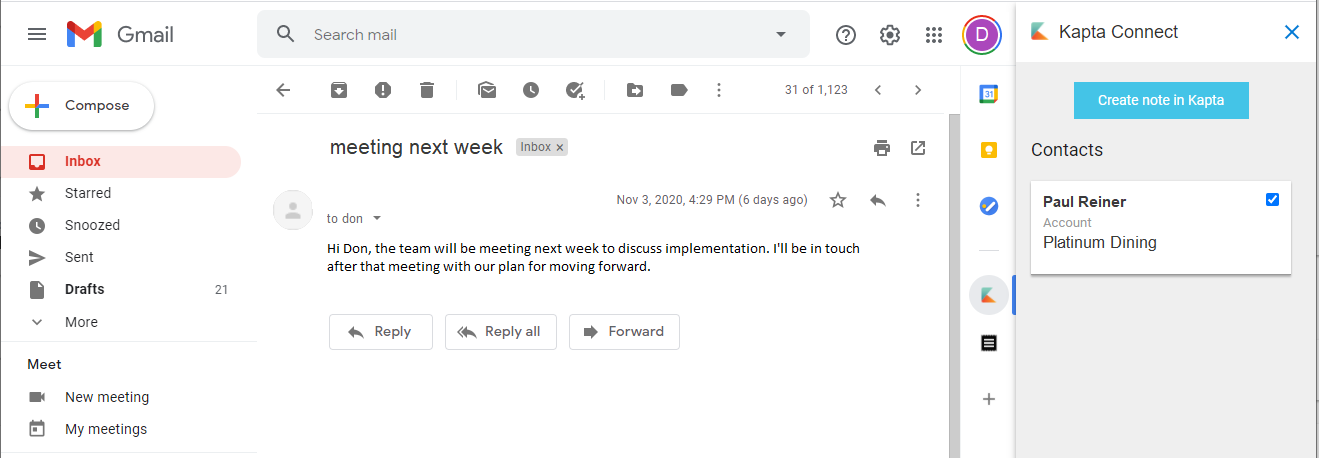
The Kapta Connect extension for Google Chrome and Gmail is a powerful tool, offering quick and helpful information associated with Kapta-related emails, and providing links for performing actions such as completing tasks or submitting notes. Kapta Connect users can quickly access information on a Gmail sidebar without having to navigate into Kapta itself, making it far easier to keep accounts current.
Click to install Google Chrome extension: https://chrome.google.com/webstore/detail/kapta-connect/ijbalmamciplnddefdnojabcojlomdib
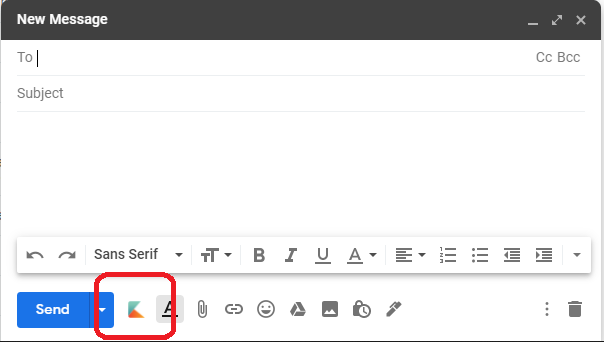
In addition, a Forward to Kapta button can be used when sending messages in Gmail. This adds a bcc to Kapta on those emails, and adds emails to to your account and contact notes.
Kapta Connect can be installed in Google Chrome by navigating to the app in the Chrome Web Store. When installing, accept the prompts to give Kapta Connect access to Gmail, then sign into Kapta on a separate browser tab or window. When complete, you may need to refresh your Gmail window, but you'll then get direct access to many Kapta features alongside your Gmail messages.
In the upper-right corner of Gmail, you can access the Kapta Connect settings. This includes information such as the Kapta email address that will be bcc'd when you use the Forward to Kapta button.

When viewing emails, a Kapta sidebar can be displayed or hidden by clicking the Kapta Connect icon. If the email is relevant to Kapta, the applicable information will be displayed in the sidebar.

To uninstall Kapta Connect, simply navigate to the Chrome Extensions page from Google Chrome, and click the Remove button on the Kapta Connect app.
Comments
0 comments
Article is closed for comments.