
Throughout the Kapta UI, there are lists of reports that can be generated by clicking the Reports link at the top right.
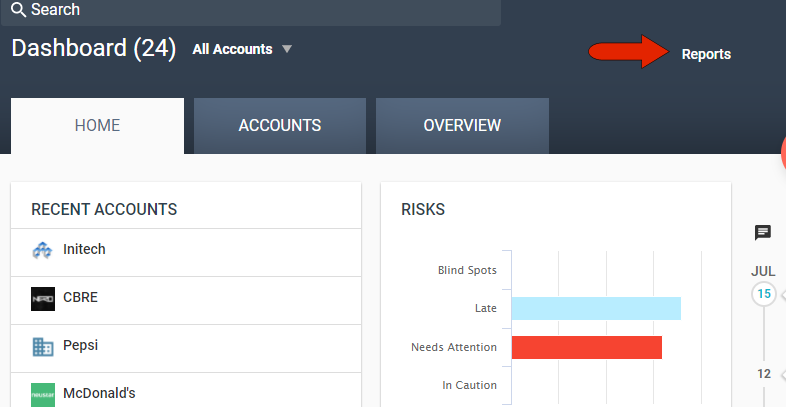
While in the Dashboard, you can access portfolio-level reports. While in an account, you can access account-level reports.
For administrators and account managers, the entire reports functionality is also available by clicking Reports in the left menu.
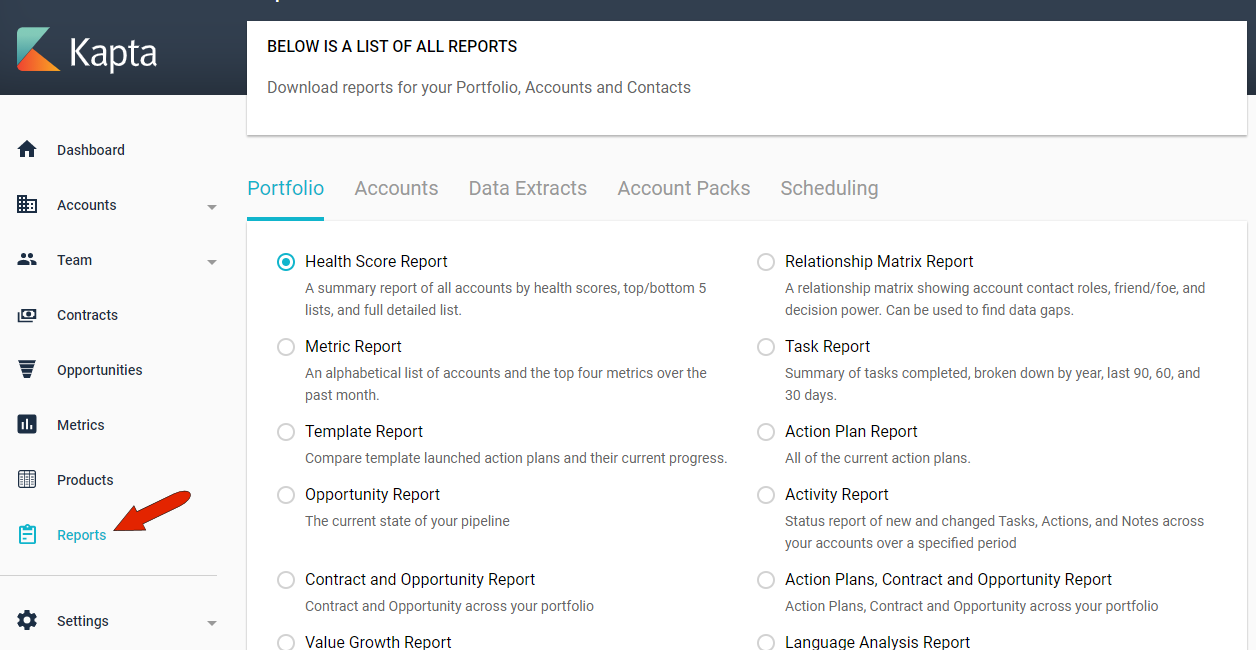
Here you can generate and download portfolio reports and account reports, as well as data extracts and account report packs. You can also schedule reports to be generated and emailed on a regular, recurring basis.
All lists of available reports are set by the administrator.
Portfolio-level reports and bulk account reports are generated, by default, using data from all accounts. You can narrow the list of accounts by clicking the Account Filter drop-down at the top left. You can choose My Accounts for accounts that you manage, or choose accounts for which you’re a contributor.
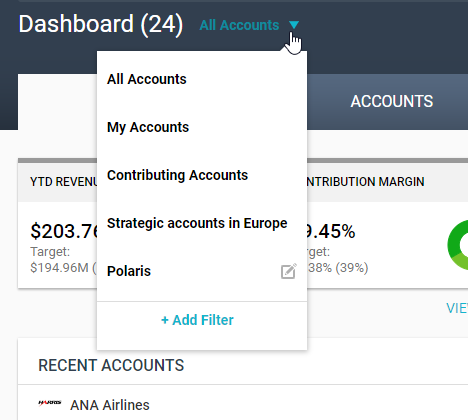
The administrator can set up additional system-wide filters, and you can click Add Filter to create your own filters, which will be available only to you.
Comments
0 comments
Article is closed for comments.