
The analysis of a customer’s strengths, weaknesses, opportunities, and threats is a crucial part of the Know component of our Know, Act, Measure process. This analysis can be completed in an account’s DETAILS tab.
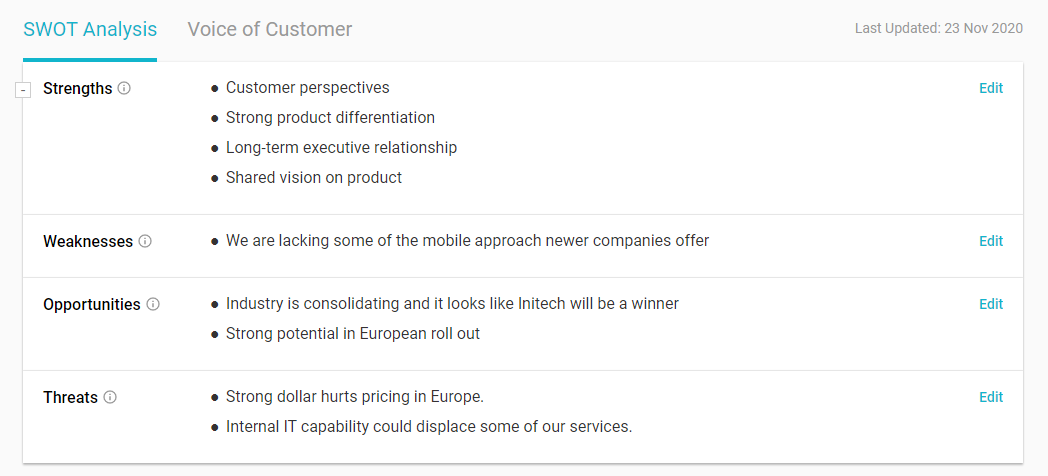
In the SWOT Analysis section, click Edit for each section and include as much detail as possible. You can format your text to create a numbered or bullet point list.
Note: If a SWOT item is actionable, you can use the item text to generate a task, action, or goal.
We recommend checking your SWOT answers every few months, to stay current with any internal or external developments with the customer relationship or the customer’s market position.
Minimizing the SWOT Analysis section displays the number of completed section and the date of the most recent update.

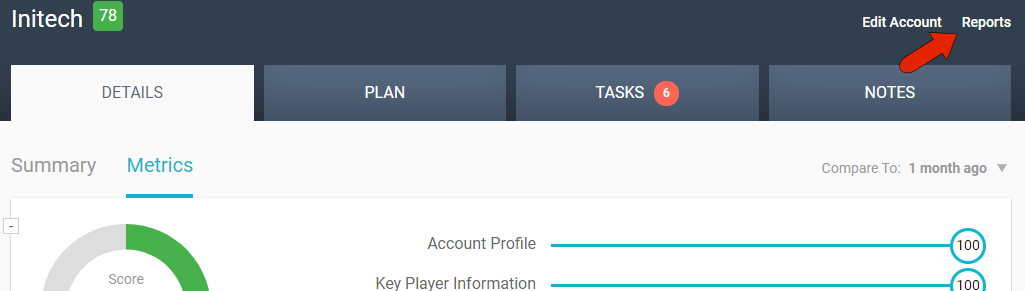
To download an account’s SWOT analysis as a report, click the Reports link at the top right of the page.
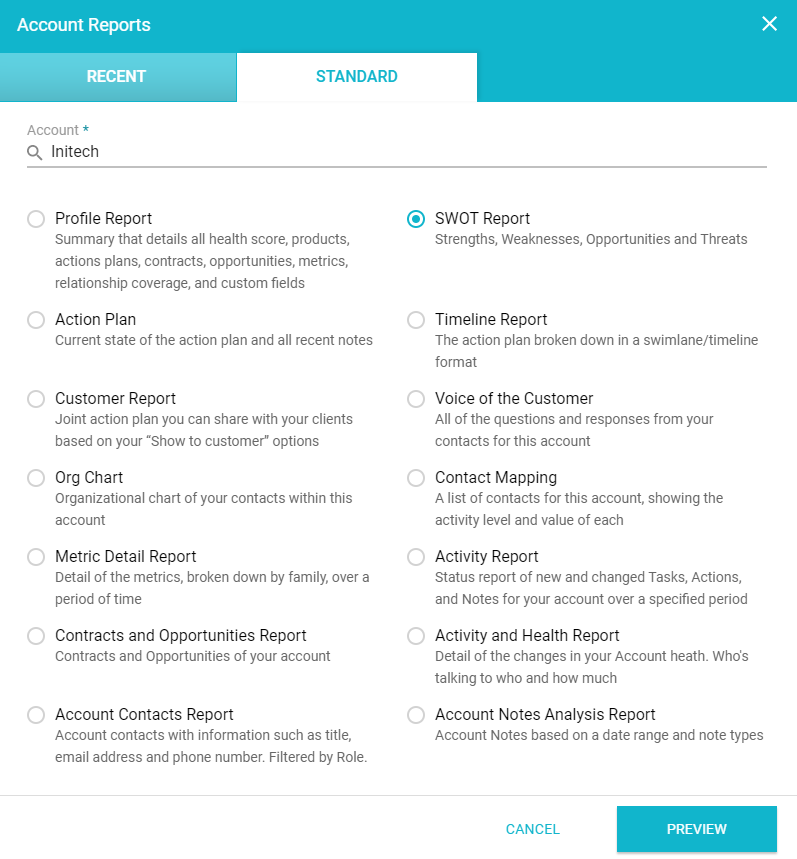
The STANDARD tab lists of all available account reports, which are set up by the administrator. Here you’ll find, if enabled, the SWOT report.
Comments
0 comments
Article is closed for comments.