
Quarterly Business Reviews (QBRs) provide the opportunity to present the benefits of your product to your customers, as well as obtain feedback and ensure a healthy relationship moving forward.
QBRs are managed for each account on the account DETAILS tab.
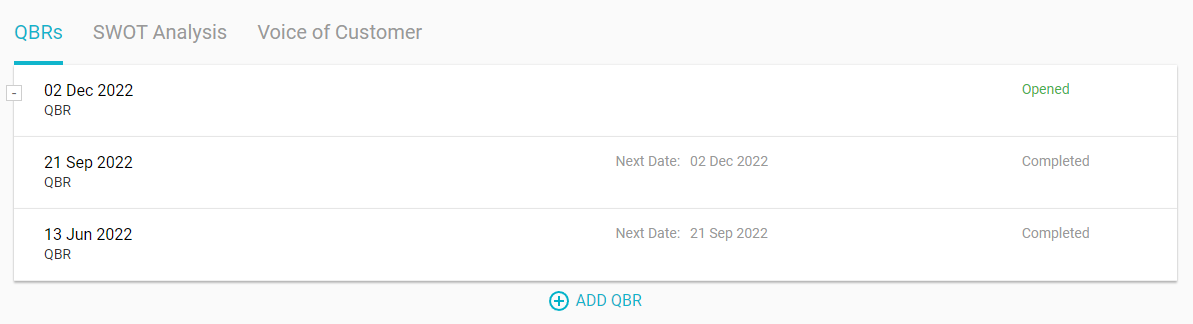
There are a number of admin settings available for QBRs. These are available to admins on the Settings > QBRs menu.
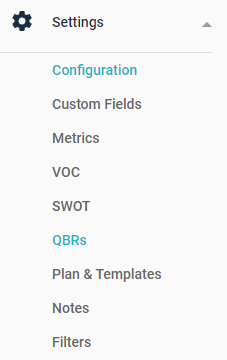
Main
Presentation Template
This optional setting allows you to distribute a template PowerPoint or other file as a starting point for your account managers. When a file has been uploaded, it will become available for download from all QBR Detail pages.
Rating Titles
When QBRs are completed, a rating based on 4 criteria can be performed. Those 4 criteria can be customized here. Note that changing criteria once ratings have begun is not recommended since historical context of the ratings is not stored. In other words, historical ratings will simply be applied to the new criteria, essentially making those ratings invalid.
Allow QBR ratings by all attending internal contacts
When enabled, each attending internal contact can perform their own QBR rating, making the Overall Rating a composite of the ratings from all internal contacts. When disabled, only the QBR Owner (usually the account owner) can perform the rating.
Types
Depending on your process, you may have multiple business review types, such as Quarterly Business Review (QBR), Executive Business Review (EBR)., etc. By entering your QBR Types here, it is possible to categorize and differentiate the types as needed.

Stages
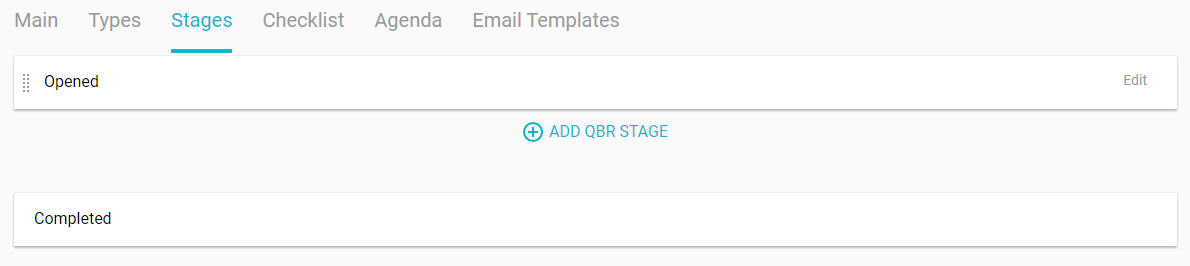
Depending on your process, you can customize the stages of your QBRs here. While some companies may prefer the minimal stages of Opened and Completed, others may have a variety of more detailed stages they'd like to track.
Checklist
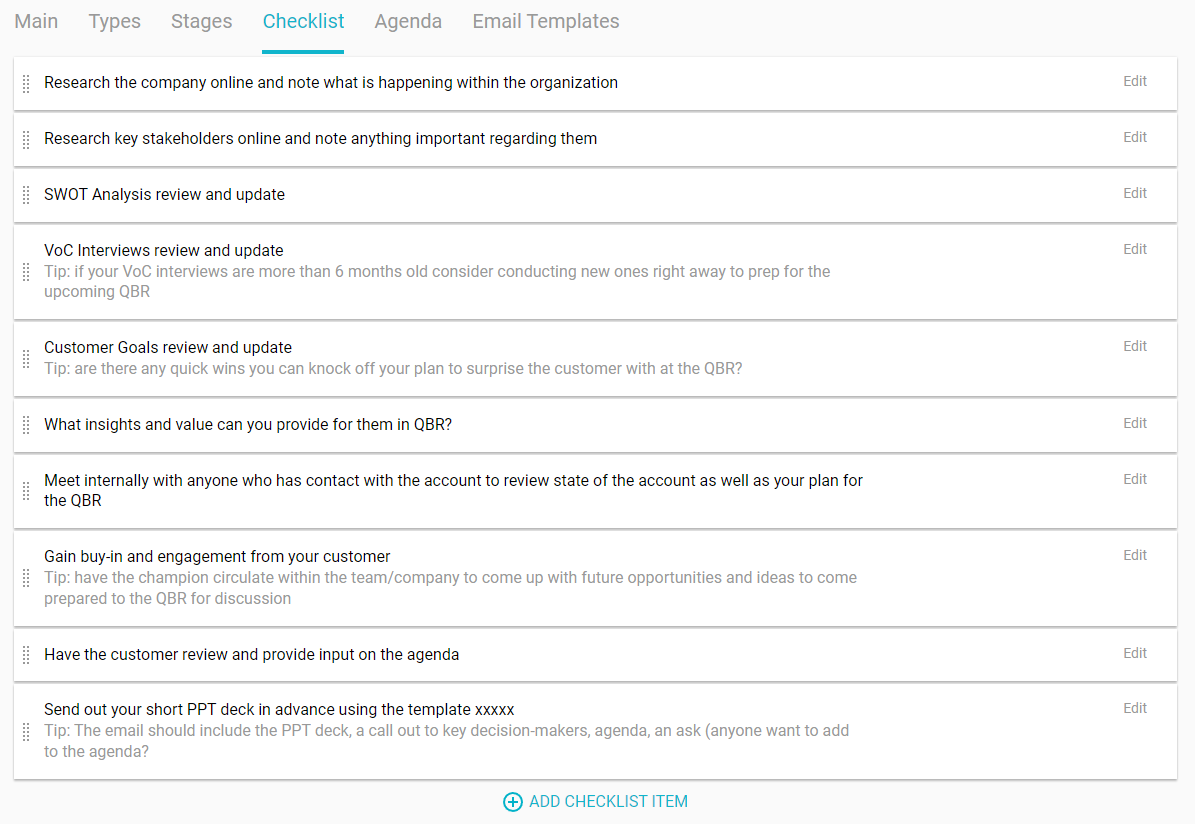
When launching a new QBR, the option is given to prepopulate the QBR with a checklist from the account's prior QBR, or with the company default checklist. The company default checklist is specified here.
Agenda
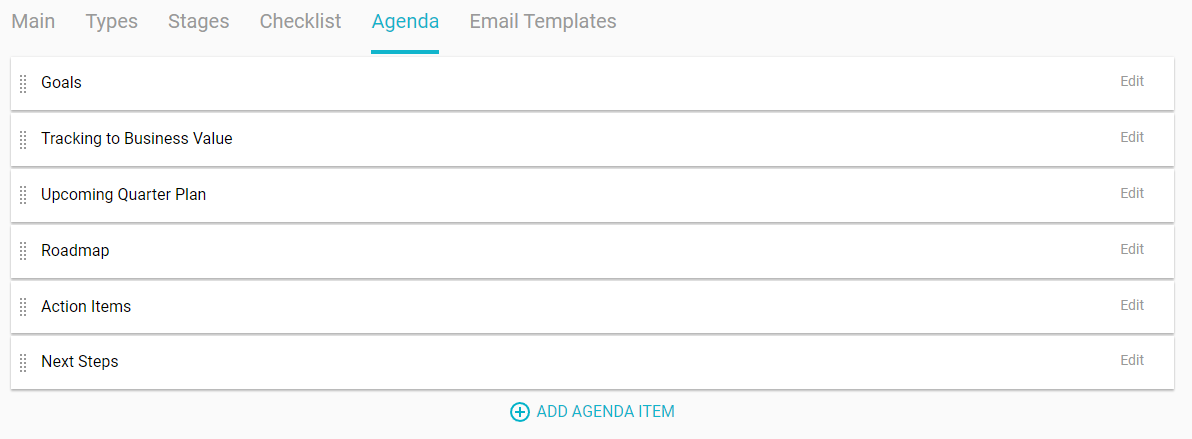
When launching a new QBR, the option is given to prepopulate the QBR with an agenda from the account's prior QBR, or with the company default agenda. The company default agenda is specified here.
Email Templates
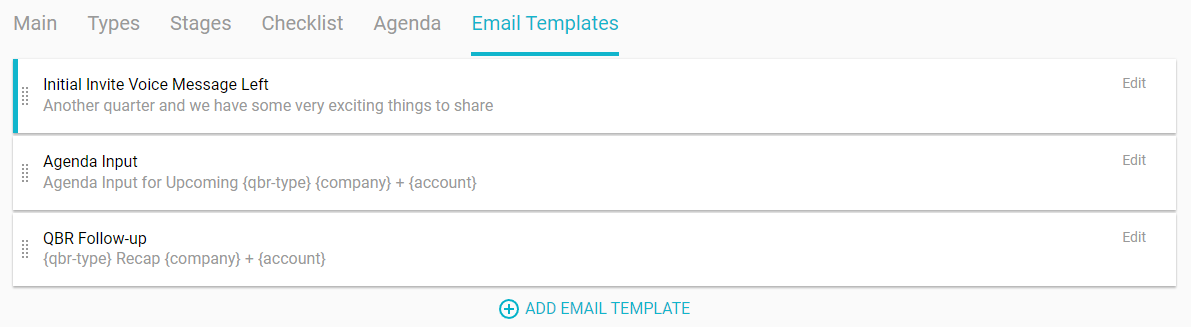
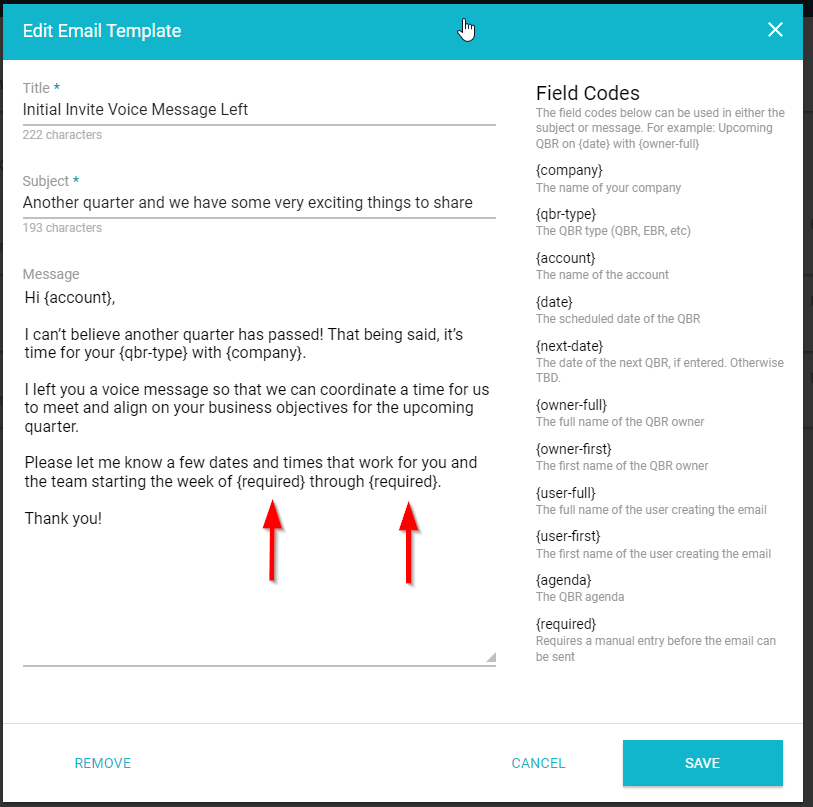
Email templates provide reusable text for emails that account managers can send to their customers when managing QBRs. For example, invitations, agenda confirmation, and follow-ups are all scenarios where templates can be helpful.
When creating email templates, a number of field codes can be used to make the template more generic. Those field codes will then be replaced with the appropriate information when the email is actually created from the account's QBR Details page.
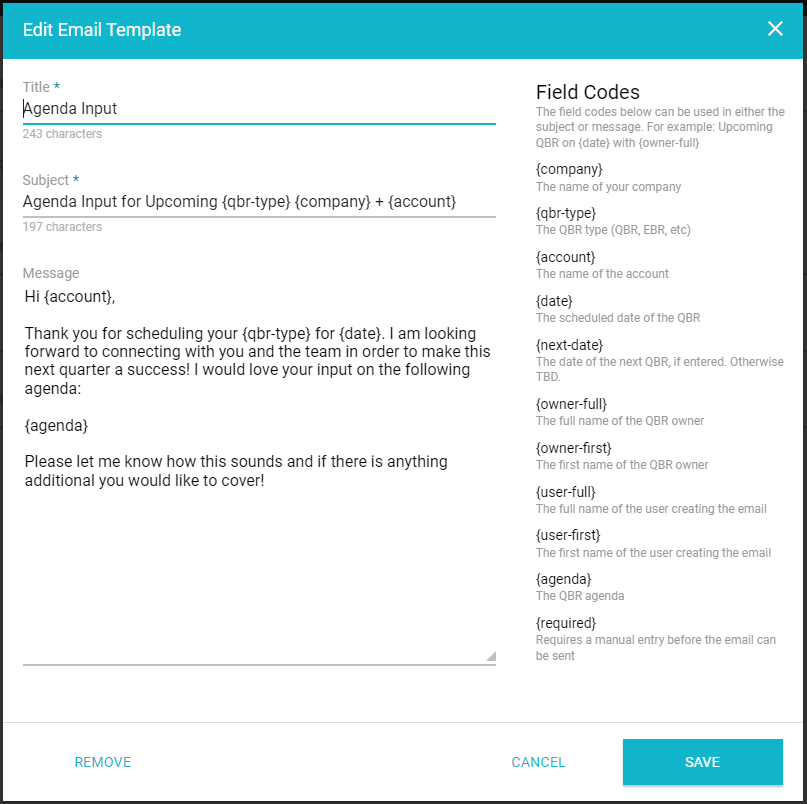
While most field codes are self-explanatory, the use of {required} is unique. Rather than that field code being replaced automatically, any {required} field codes will prompt the user to enter that information manually before the email can be created.
Comments
0 comments
Article is closed for comments.