
Templates are pre-populated goals that you can add to an action plan. Templates are typically used for common goals such as account turnaround, new customer onboarding, business review, and the like. A goal template can be quite detailed, containing multiple objectives, each with a list of actions and tasks. Or a template can be more general, containing just one or two actions.
Kapta comes with several sample goal templates, for both customer strategic goals and internal strategic goals. The administrator can edit these templates to suit your types of accounts, or create new templates from scratch. Any templates that have been launched by the administrator are available for you to use. And once a template is launched and added to an action plan, you can customize it to suit the account.
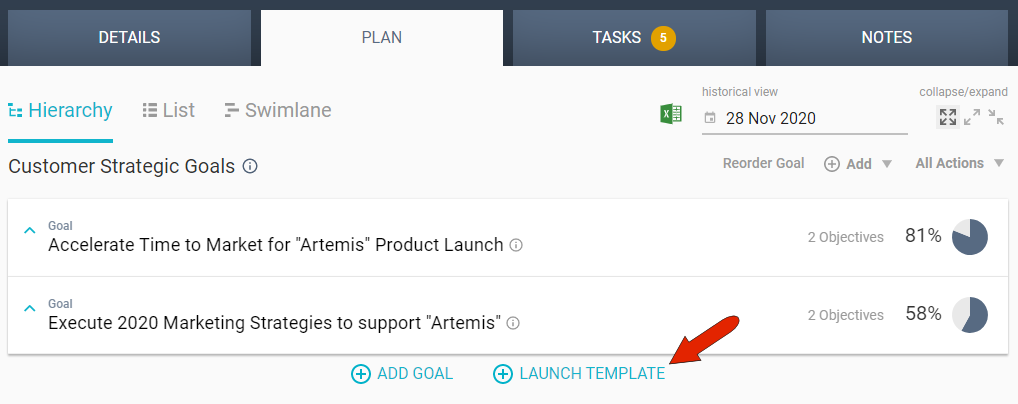
To use a template, open your account’s PLAN tab. Just below the plan you’re working on, click the Launch Template link.
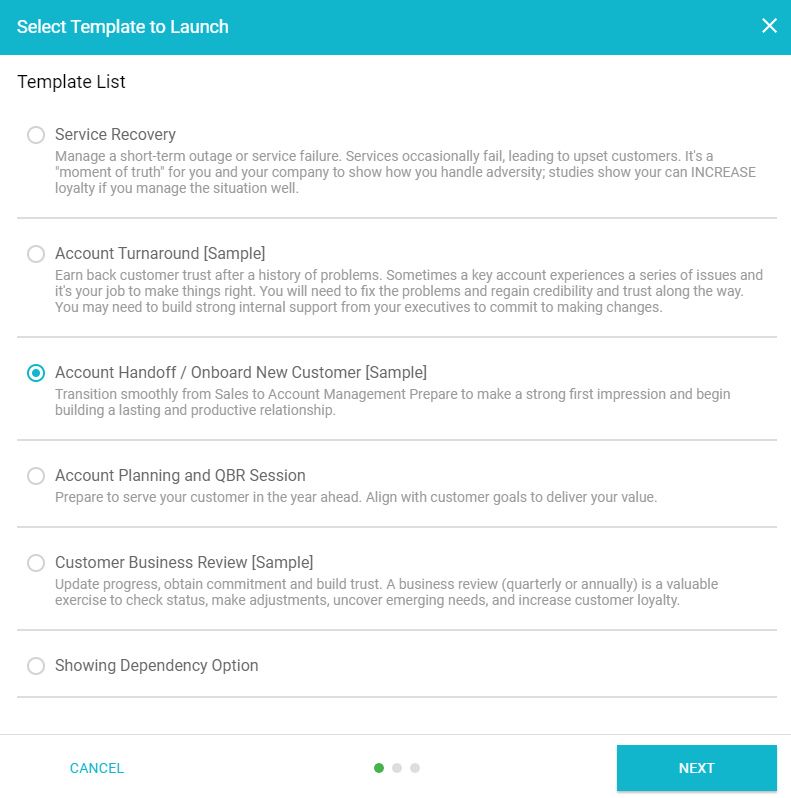
Choose the goal, such as Account Handoff in this example, and click Next.
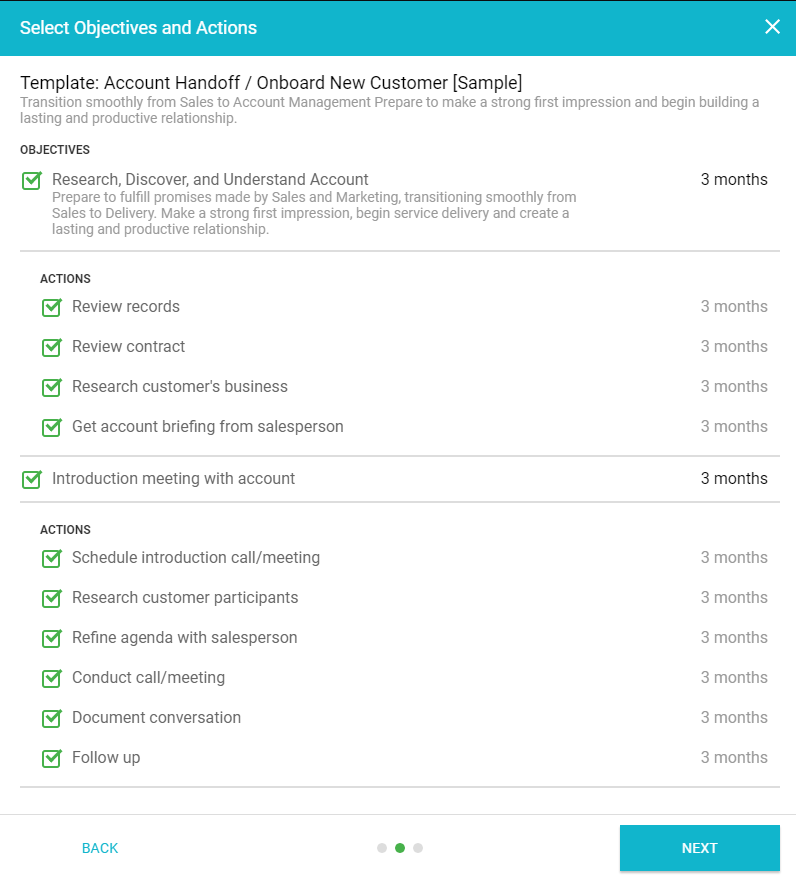
The template structure appears next, in which you can select the actions, or objectives and actions, that you want to keep. Once launched, you can change names and descriptions, or add your own objectives or actions. The time allocated for each action is set by the administrator, but, like any part of a template, you can edit allocated times once the template is launched.
After clicking Next again, set the goal start date, and click Launch.
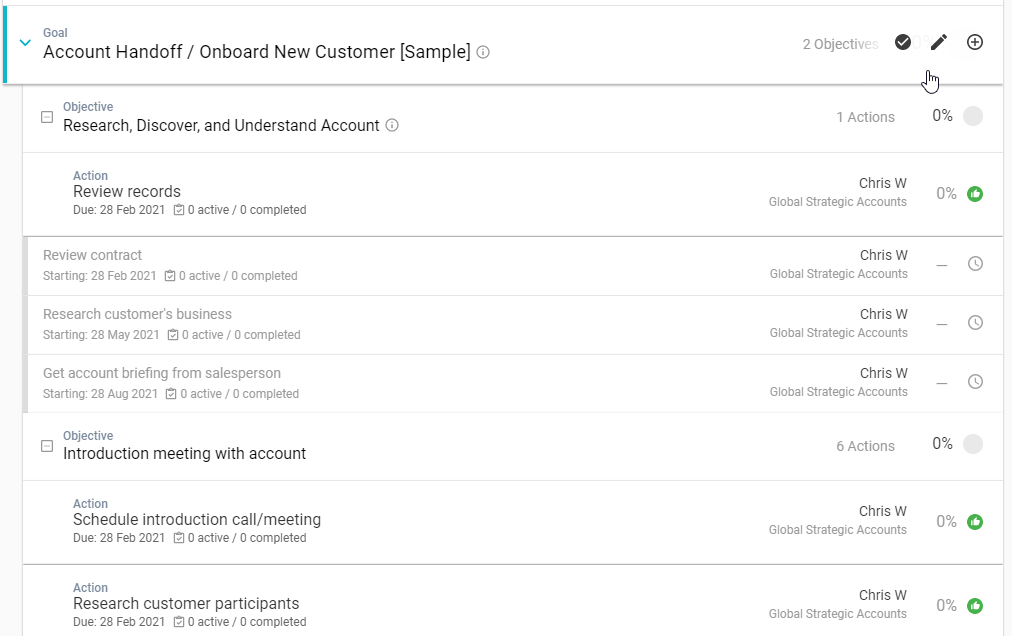
Once launched, the goal appears at the end of the list of existing goals. Hovering over the goal, or an objective within the goal, brings up icons at the right you can use to mark as complete or edit. The Add icon can be used to add objectives or actions to a goal, or actions to an objective.
Comments
0 comments
Article is closed for comments.