
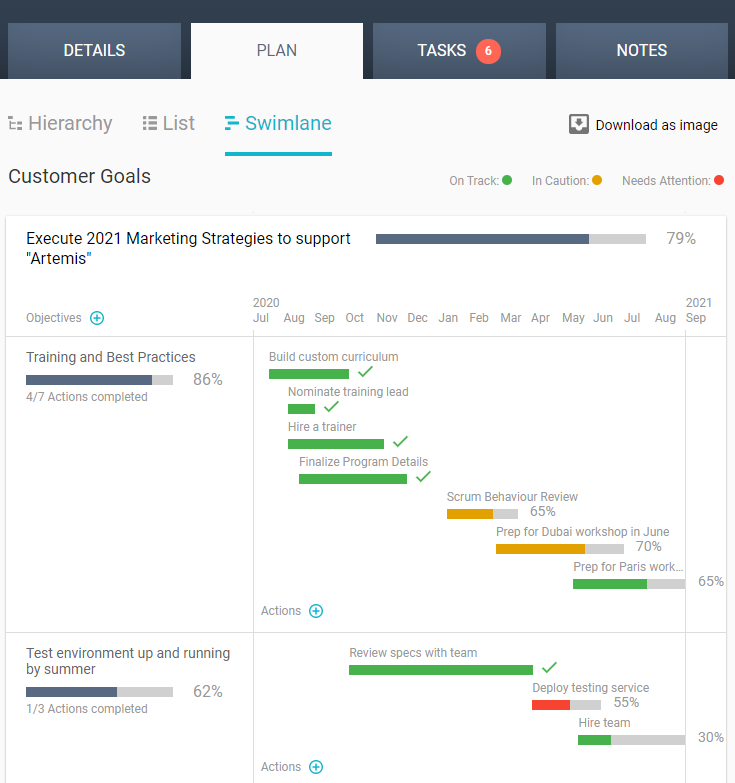
The Swimlane view of an account’s PLAN tab presents a visual, timeline breakdown of all goals, objectives, and actions, for all of the account’s action plans. Each goal is listed, in order, broken down into its individual components with percent completion, and color coding to indicate what actions are on track, in caution, or need attention.
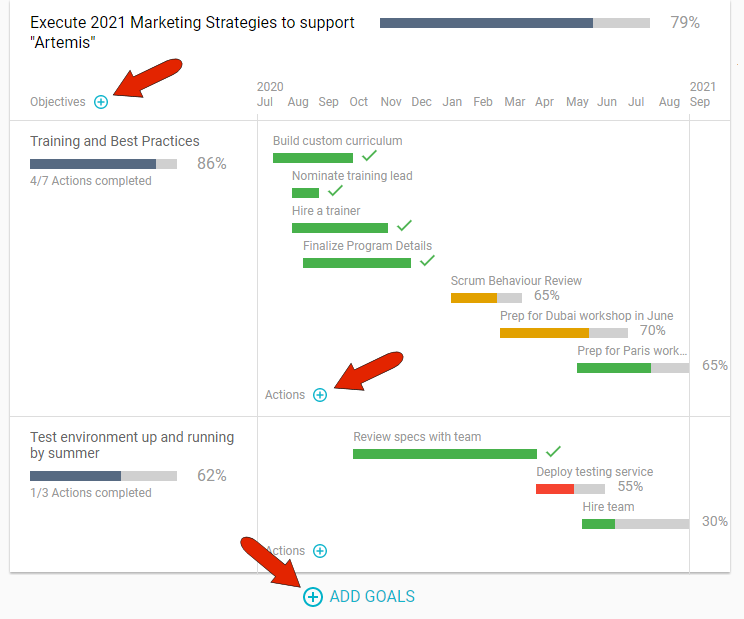
You can add actions, objectives, and goals directly in this view. Any changes you make will update in the Hierarchy and List views as well.
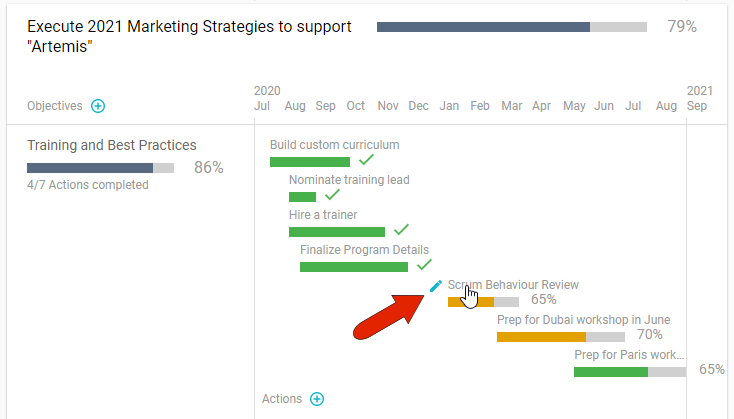
While in the Swimlane view, you can also edit or update an existing goal, objective, or action by hovering over its name, and clicking the Edit (pencil) icon.
The Swimlane view can be downloaded as an image - one image for each plan - which can be shared with the customer so that all players are apprised of account status.

Comments
0 comments
Article is closed for comments.